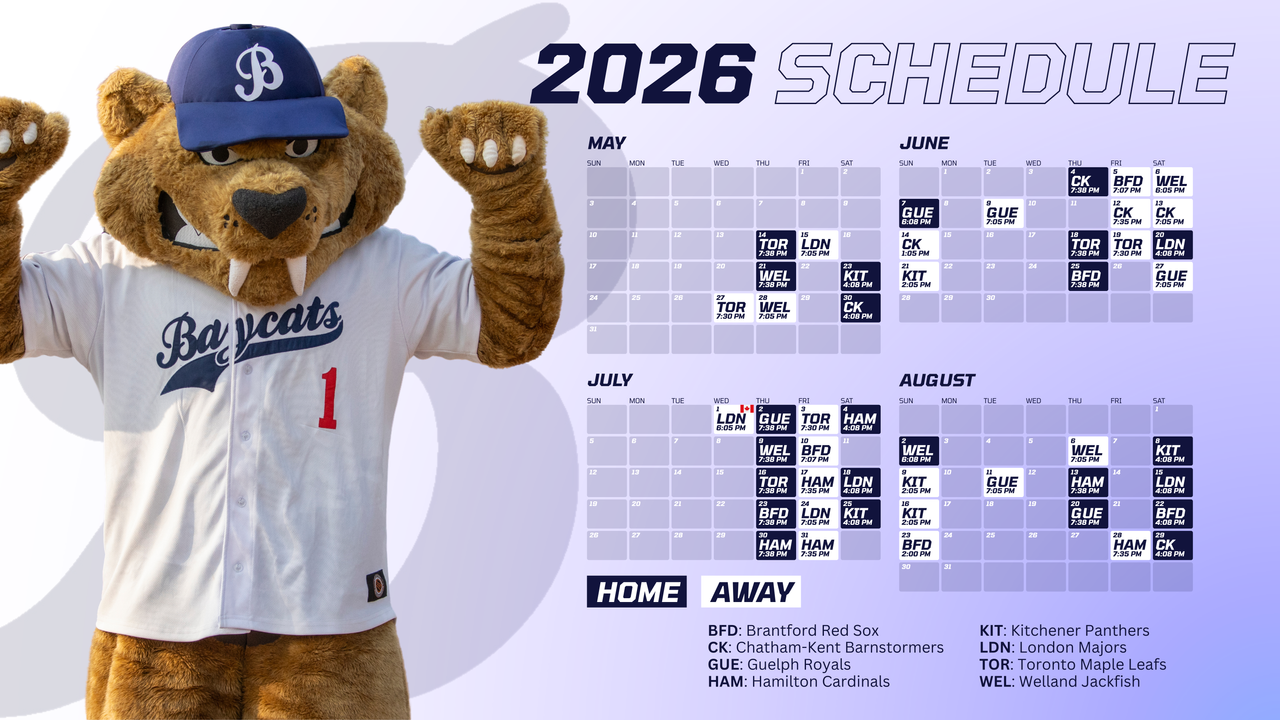


Wallpaper Schedule
Download Wallpaper Schedule
STEP 1: Download the Wallpaper Pack
1: Click the Download Wallpaper Schedule button on above
2: A .zip file will download to your device
STEP 2: Open the ZIP File
Windows
1: Right-click the .zip file
2: Select Extract All
3: Click Extract
4: Open the new folder
Mac
1: Double-click the .zip file
2: A folder will automatically appear
STEP 3: Set Your Wallpaper
Windows
1: Open the extracted folder
2: Right-click the wallpaper you want
3: Select Set as desktop background
Mac
1: Open the extracted folder
2: Right-click the wallpaper you want
3: Select Set Desktop Picture (or drag into System Settings – Wallpaper)